 RadialZ Guides
RadialZ Guides
RadialZ Guides
Short, focused videos for setting up RadialZ, using every feature, and fixing the odd hiccup. Everything you need, in one place.
The short version to get you running. Each step has a full video walkthrough further down if you want the detail.
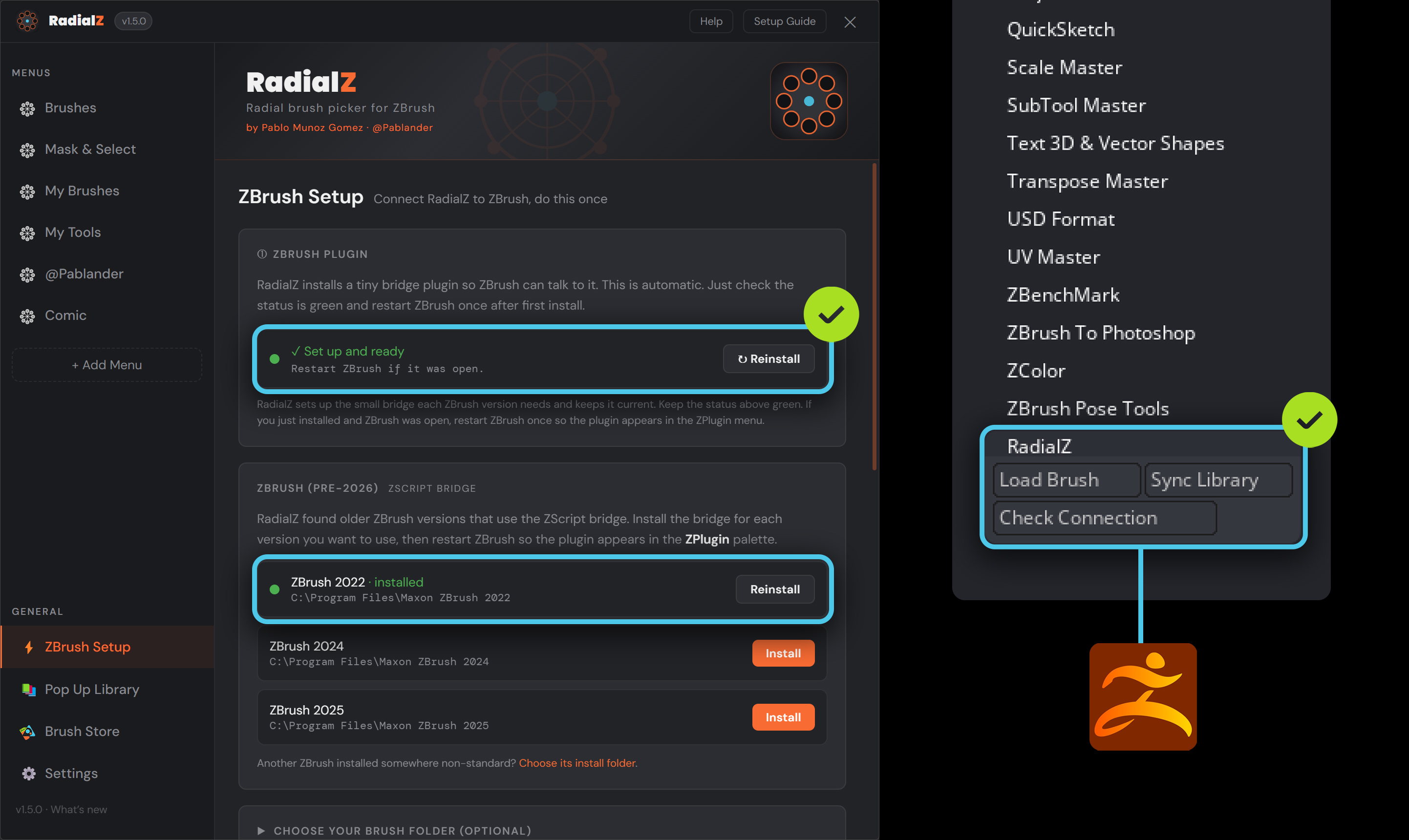
Open RadialZ and look for the green status indicator. If the plugin is not visible in ZBrush, restart ZBrush once and it will load itself.
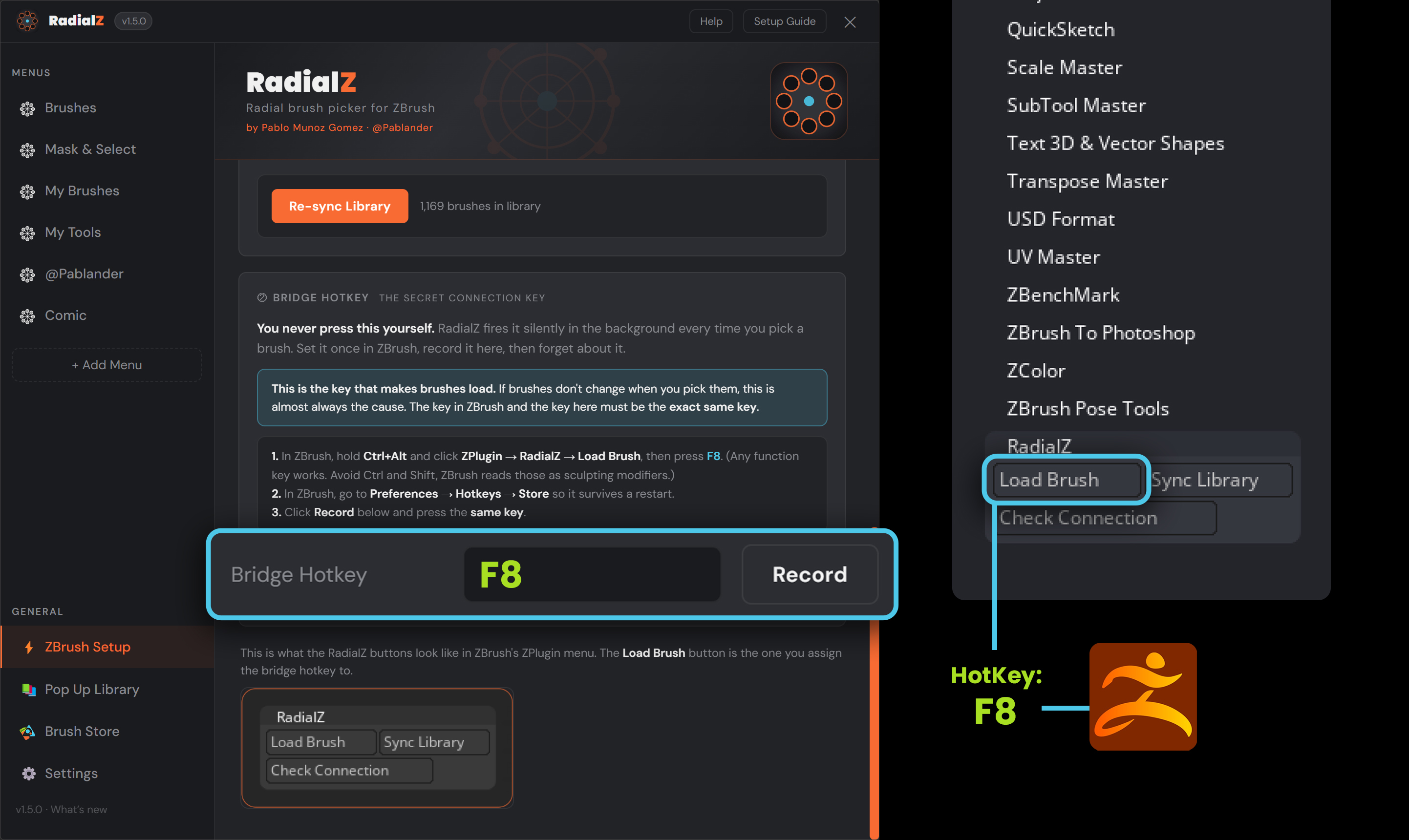
This is the one to get right. We recommend F8. Set it in RadialZ, then set the exact same key in ZBrush for Load Brush. Then in ZBrush go to Preferences, Hotkeys, Store so it sticks after a restart.
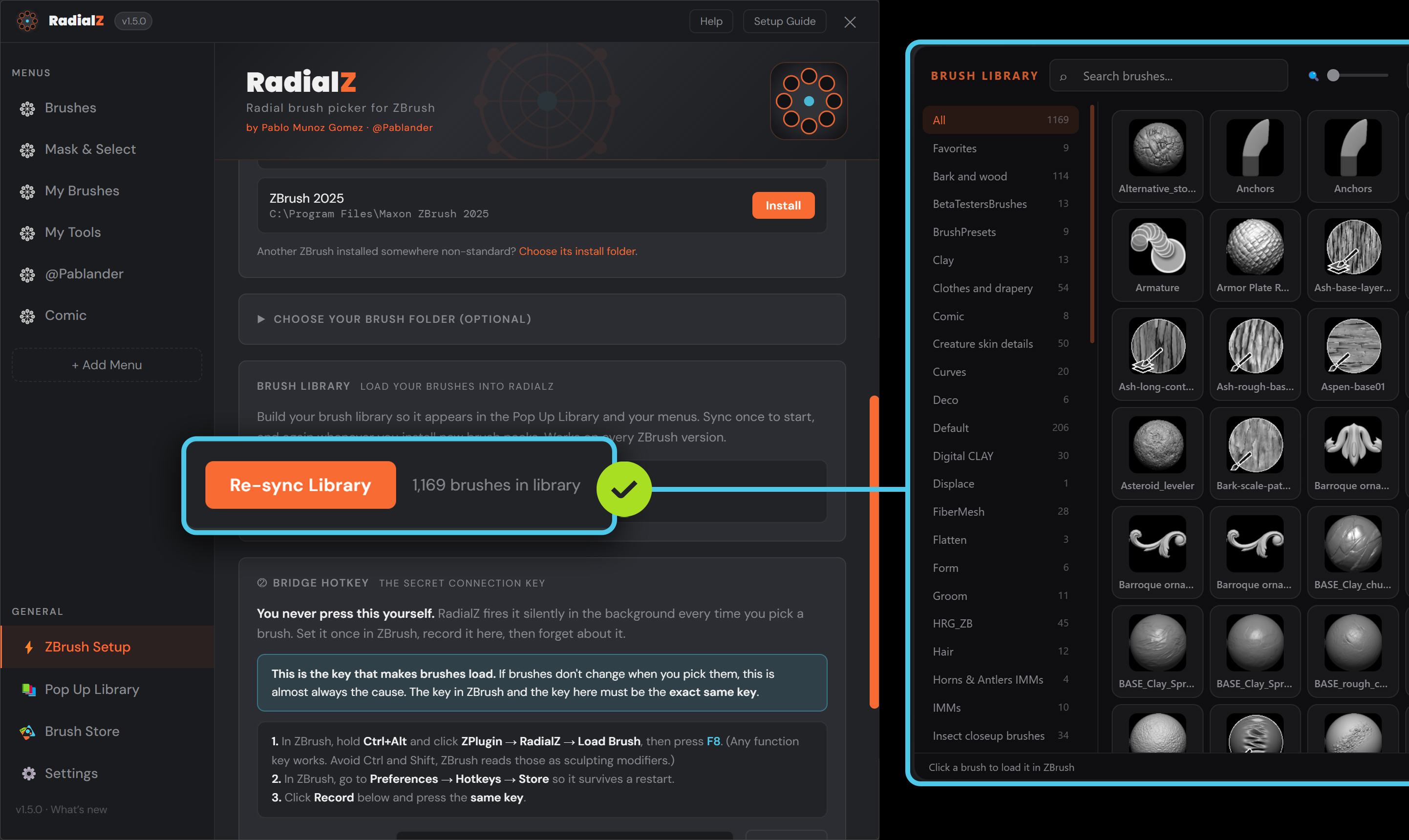
Sync to pull your brushes into RadialZ. That is all it takes to get going.
Browse by setup, features, or fixes. Search if you know what you are after.
Setups and walkthroughs from artists using RadialZ in their own work. Not official, just useful.
Using RadialZ in your own work? Share your menu setup or workflow video and send us the link here so we can feature it. We love showing off what the community makes.
Join the community on DiscordThe quick answers to the things that trip people up most. For the common ones there is a fix video in the guides above.
Pen pressure on the first stroke. After picking a brush with RadialZ, the very first pen stroke may not register full pressure. The stroke after it behaves normally, and a mouse is unaffected. This sits in the Windows pen input pipeline and is being worked on for an upcoming update. It does not affect the brush itself, only that first stroke's pressure.
Have an idea, or hit a bug? Use the right box so it reaches the right place.
Ideas and feature requests. Not for bugs.
Something broken? The more detail, the faster the fix.
That is everything. Hit send and we will take a look.
If none of the above sorted it, reach out and we will help.